

Short answer: the price of business fibre mainly depends on four things.
- The type of connection: fibre over the street network, or a dedicated business line.
- How far your building is from the fibre network.
- Which speed you need.
- Which guarantees you want when something breaks.
Installation takes from a few weeks to a few months. That depends on what is already in the street and whether digging is needed. Have it checked in advance so you know where you stand.
Two types of business fibre: FTTH and FTTO
A quote usually mentions one of two abbreviations. The difference accounts for most of the price.
| FTTH (fibre over the street network) | FTTO (dedicated business fibre) | |
|---|---|---|
| What is it? | The same fibre that reaches homes, with a business subscription | A dedicated fibre line to your building, for your company only |
| Capacity | Shared with other connections in the area | Guaranteed: the speed you buy is always available |
| When it breaks | Repair under the subscription terms | Fixed repair times in an SLA, often also evenings and weekends |
| Price | Low, comparable to a good home subscription plus business extras | Higher, because the line and the guarantees are yours alone |
| Fits | Small offices and shops where an outage is annoying but not a disaster | Companies whose revenue depends on internet: production, logistics, healthcare, multiple sites, cloud applications |
A common mistake is buying FTTO where FTTH is enough, or the reverse: a large company on a shared connection with no agreement on repair. The question is not which one is fastest, but what half a day of downtime costs you.
What drives the price?
- Distance to the network. If your building is already on-net, meaning connected to a fibre provider's network, you save most of the installation cost. If a new line has to be dug to your building, installation costs are added. The longer the route, the higher that amount.
- One-off or monthly. You do not always have to pay digging costs at once. Often you can choose to include them in the monthly fee.
- Type of connection. FTTO costs more than FTTH, because the capacity and the line are yours alone.
- Speed. Businesses usually want symmetrical internet: uploads as fast as downloads, for backups, video calls and cloud software. More capacity costs more, but with fibre the steps are smaller than many people expect.
- The SLA. The faster an outage must be fixed, and at which hours, the higher the monthly price. Repair within a few hours including weekends is a different agreement from repair on the next working day.
- Contract term. With longer contracts the one-off costs are often spread over the months or partly waived.
- What is included. A router and firewall, a fixed IP address, monitoring and a backup connection may be included or charged separately. So do not compare quotes on the monthly fee alone.
How long does installation take?
That mainly depends on what is already there. Roughly, there are three situations.
| Situation | What happens | Lead time |
|---|---|---|
| Fibre is already in your building | Only the subscription and equipment need arranging | Short: usually a matter of weeks |
| Fibre is in the street or on the park, not in your building | A short connection inside, sometimes with some digging on your own premises | A few weeks to a few months |
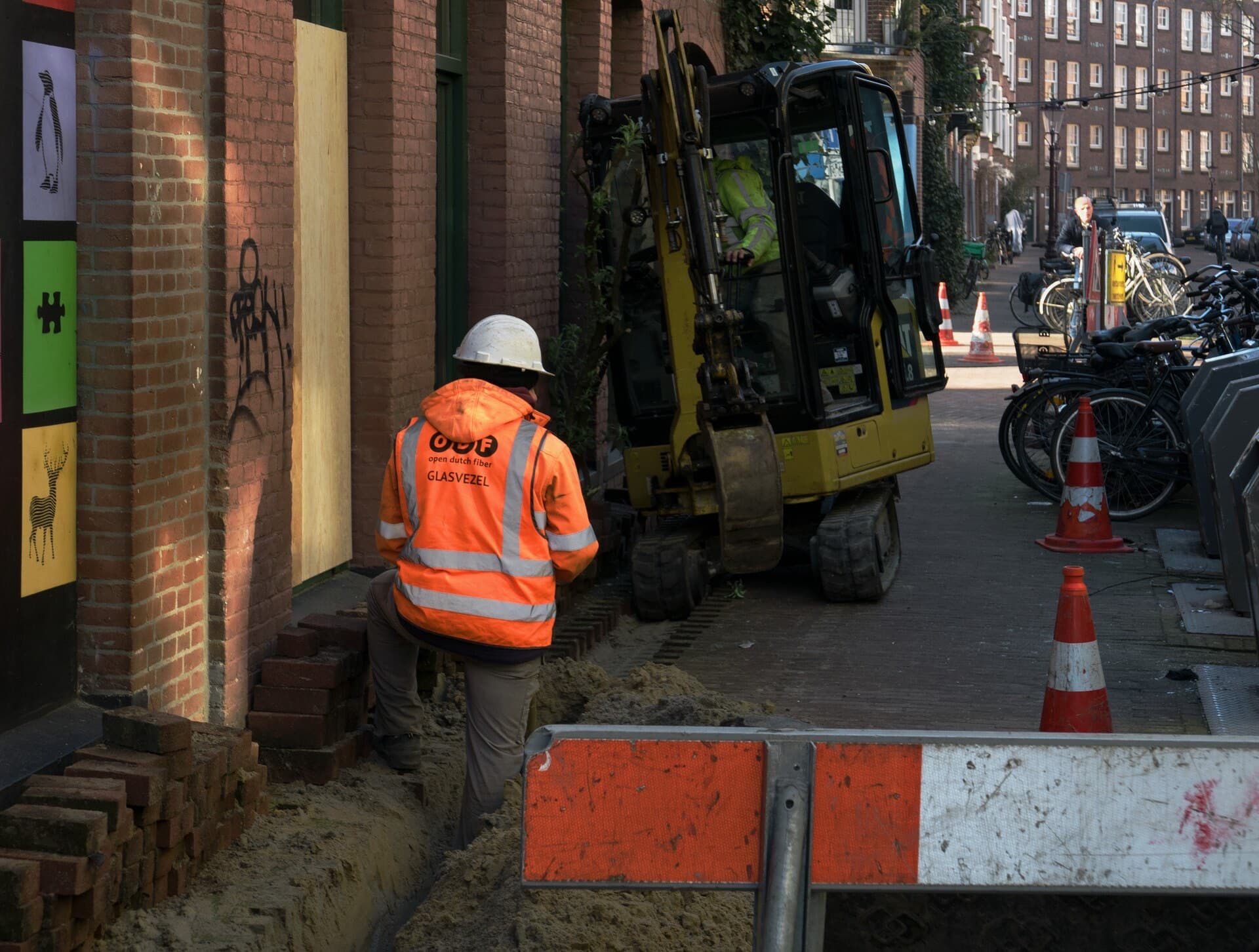
| There is no fibre nearby yet | A new line is built, with municipal permits and coordination with other cables and pipes underground | Longest: expect months |
The time is rarely in the digging itself. It is in the request to the network operator, the permit for digging in public space, the contractor's planning and coordination with the building owner. A request that sits idle loses weeks. That is why it helps when one party follows the request until the line works. If the request still takes months, we provide a temporary connection so you can keep working in the meantime.
How to avoid being without a proper connection
- Start in time. Moving, or taking a new building? Have the options checked as soon as the address is known, not when the lease starts.
- Bridge the waiting time. If installation takes longer than you can wait, a temporary connection over the mobile network or a fixed wireless link can do the job until the fibre is in.
- Add a backup. Fibre is reliable, but an excavator one street away can still cut your line. Where downtime costs money directly, you want a second connection that takes over automatically, ideally over a different route or a different technology.
- Think about the inside. A fast line does little if the cabling or Wi-Fi in your building cannot keep up. Include the internal network in the same planning.
1:1 or shared, and what is dark fibre?
With business fibre you sometimes hear about contention: the provider sells more capacity than exists, expecting that not everyone uses full speed at once. A 1:1 connection does not do that. The speed you buy is the speed you get, even at the busiest moment of the day.
Dark fibre goes one step further. You rent a fibre with no equipment on it: a bare line between two points. Whoever places the equipment at both ends sets the speed and can raise it later without a new line. Dark fibre mainly suits companies with a lot of data traffic, multiple sites or a direct line to a data centre.
Checklist: what to know before you sign
- Is it FTTH or FTTO, and is the connection 1:1 or contended?
- Is your building already on-net with one of the providers?
- Is the speed symmetrical?
- What are the one-off costs, and what happens if the digging turns out more expensive?
- Which repair time is in the SLA, and does it apply outside office hours?
- Are router, firewall, fixed IP address and monitoring included?
- Who follows the request and the planning until the line works?
- Is there a temporary connection if installation runs late?
- Is there a backup connection, and does it switch over automatically?
What we do
Networkguys arranges business fibre from advice to management. We work with more than 80 fibre partners, so at most addresses a lot is possible.
- We check which partners already have your building on-net.
- We advise whether FTTH is enough or FTTO fits better.
- Our business fibre connections are always 1:1 unless you deliberately choose otherwise.
- Prefer dark fibre? Then we light it from our data centre in Amsterdam.
- We follow the request and the digging, and provide a temporary connection if installation takes longer.
- We hand over with router, firewall, backup and monitoring.
Send us your address and what your business does with internet, and you will get advice with options.